Microsoft 365 and the Internet
Microsoft 365 security and Internet exposure: see what an attacker sees
A forwarding rule to a personal address, created on a Saturday evening. A third-party app that has been granted the right to read every mailbox. An old test server still reachable from the Internet. An ordinary admin console warns you about none of this. FirstSI spots all of it, and also explains in plain English why Outlook has been asking Sophie for her password since this morning.
Open-access demo, no sign-up: 138 fictional machines and all twelve modules.
FORWARDING an accountant's mailbox: forwarding to an outside address, Saturday 11:10 pm
APP third-party app authorised to read mailboxes
SHARING 37 anonymous links created in one hour
LEAK two company addresses named in a public leak
SIGN-INS no sign-ins from an unusual country
Microsoft 365 and the Internet, seen from outside
Every refused sign-in explained
A recently changed password, a declined multi-factor prompt, a conditional access rule, a non-compliant device: the reason is given in plain words, with thirty days of history per person.
What slips out without using the front door
Mail forwarded outside, bursts of anonymous sharing links, authorised third-party apps: each becomes an incident, naming the person involved.
Attempts on accounts
Passwords tried in quick succession, multi-factor prompts declined again and again, a sign-in from a country where nobody works: the SIEM handles them like the rest of your alerts.
Your footprint on the Internet
Exposed services, known vulnerabilities, published names: FirstSI passively gathers what anyone can see of you, without running a single scan.
Accounts named in leaks
Company addresses found in public data leaks are flagged, so that the passwords concerned are the first to be changed.
From your network, read-only
FirstSI consults Microsoft 365 with read access, keeps no content and logs every lookup.
In the console
Screens from the live demo, with the data of a fictional company.
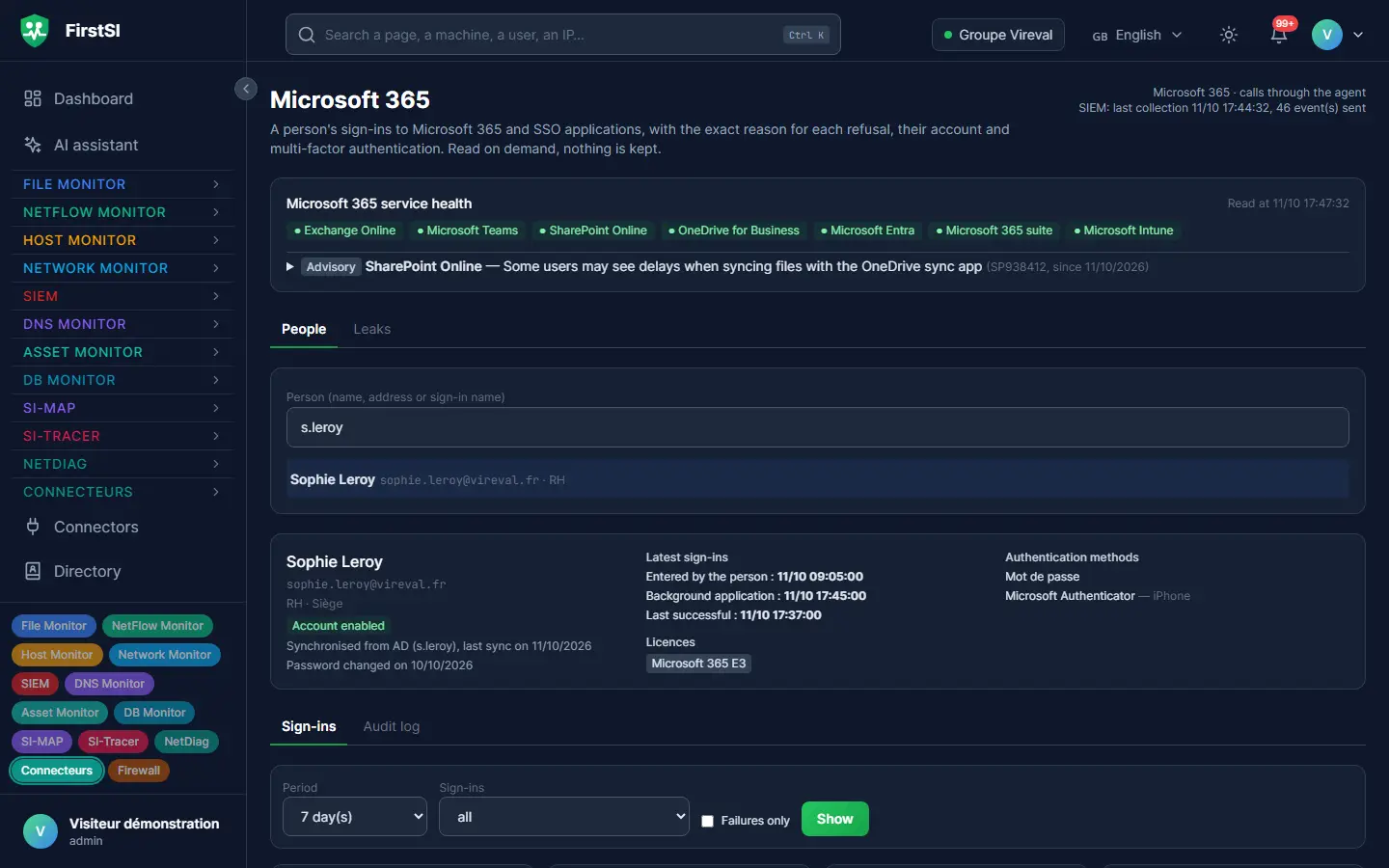
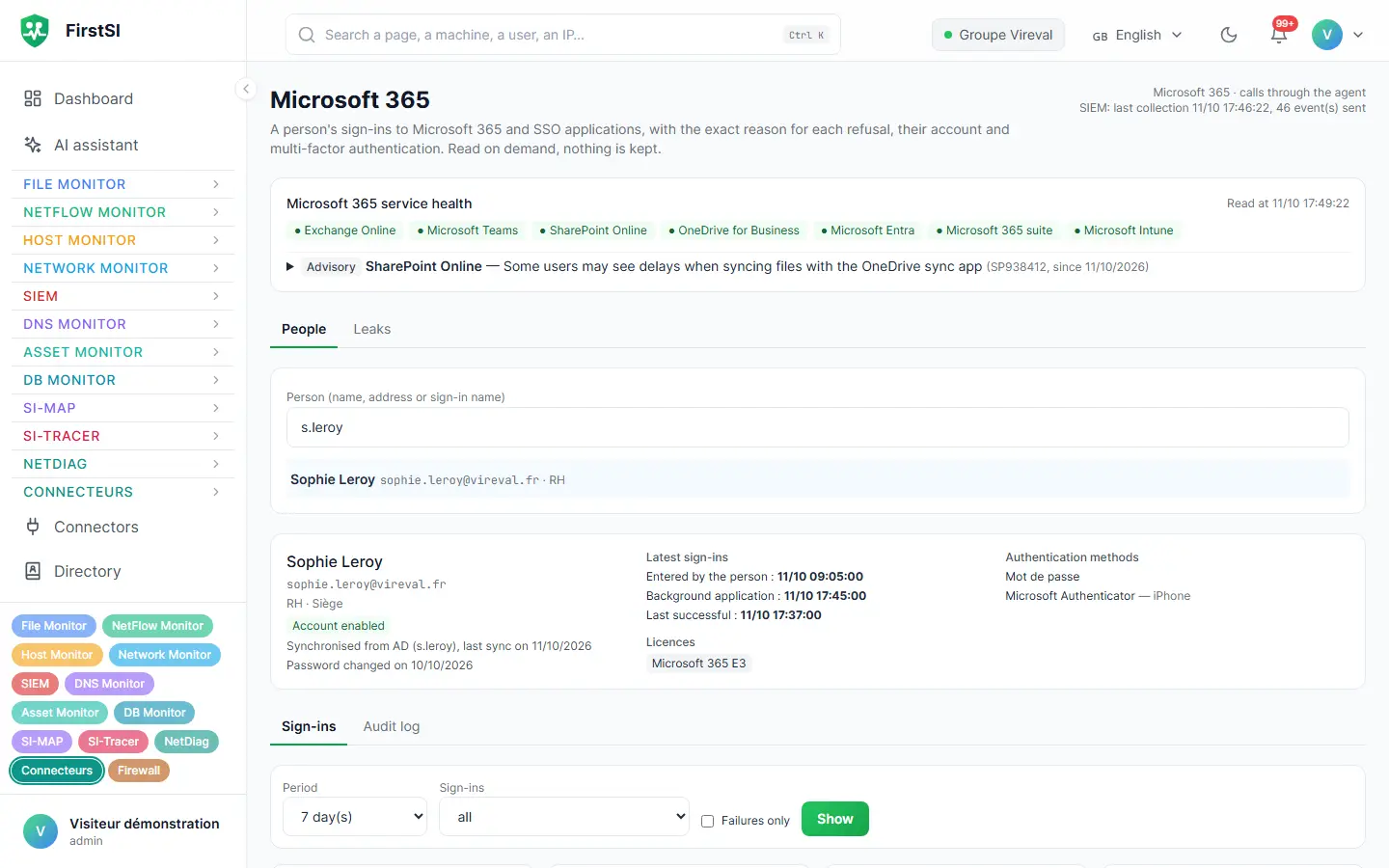
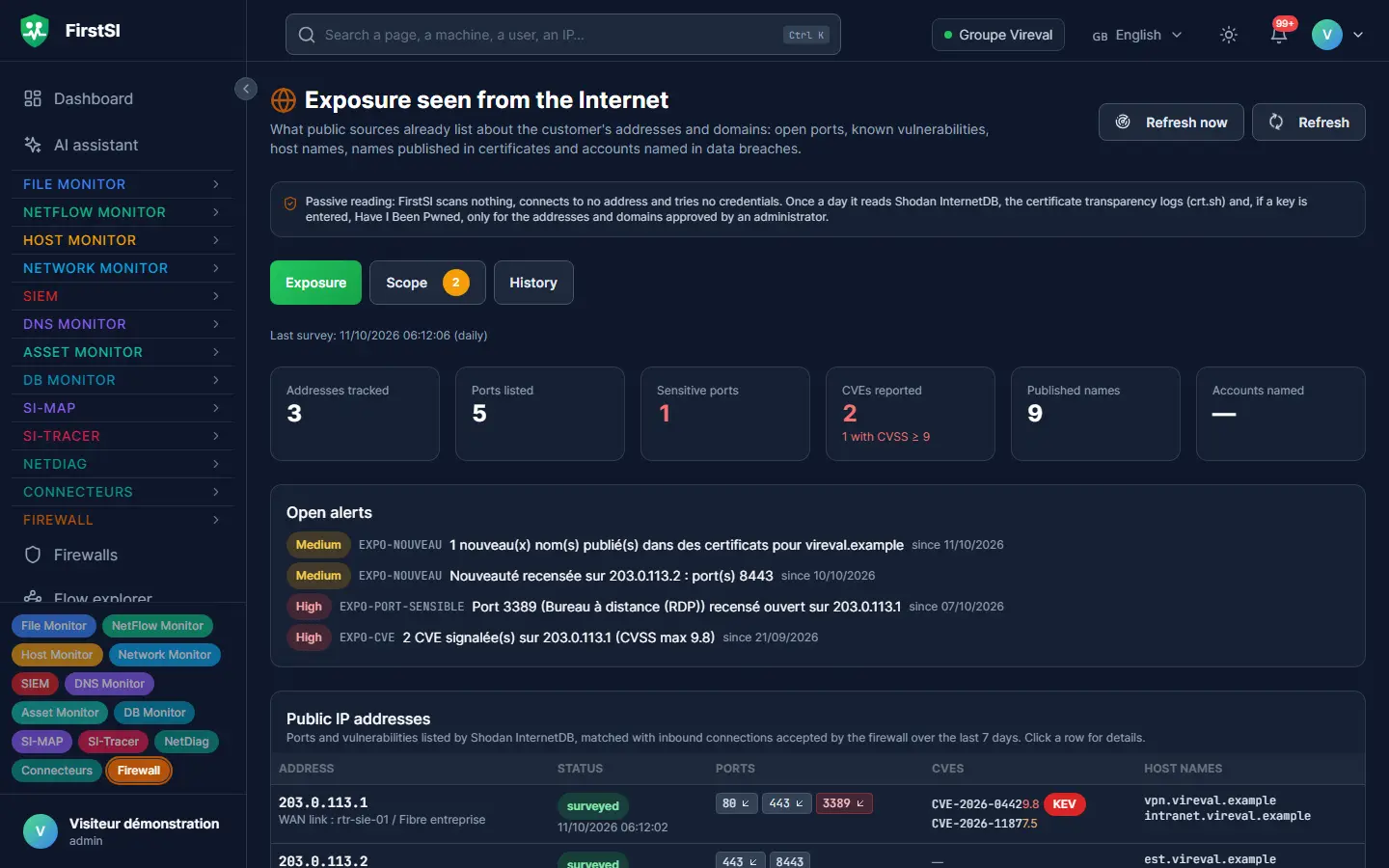
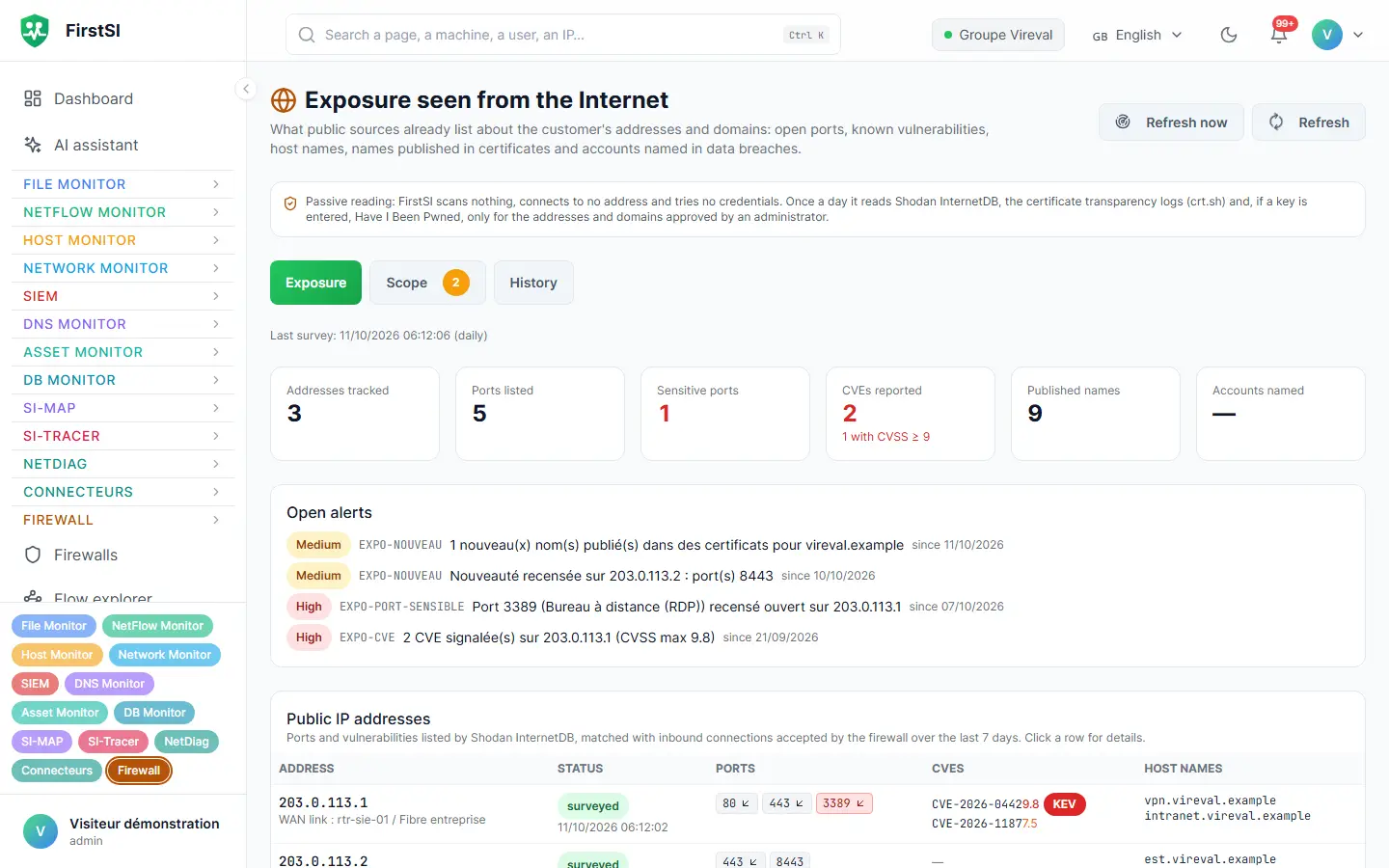
Saturday, 11:10 pm
The weekend forwarding rule
On Thursday, an accountant typed his password into a fake sign-in page. On Saturday evening, someone opens his mailbox from a foreign hosting provider and creates a discreet rule: every email containing “invoice” or “bank details” goes to an outside address.
FirstSI flags the rule within the minute, and the SIEM ties it to the unusual sign-in just before it. The on-call engineer receives a single incident, with the mailbox, the destination address and the IP address used to sign in, along with its country and its hosting provider.
The rule is deleted, the password changed and the sessions revoked before Sunday lunchtime. On Monday, the accounts team is asked to double-check any request to change bank details, and you know exactly which emails went out.
23:02 SIGN-IN an accountant's mailbox, from a foreign hosting provider
23:10 FORWARDING rule to an outside address (“invoice”, “bank details”)
23:11 ALERT one incident, sent to the on-call engineer
Sun 10:40 RESOLVED rule deleted, sessions revoked
How it works
Read access
You authorise FirstSI to read the sign-in logs and the configuration of your Microsoft 365 environment, with no write permission whatsoever.
A passive survey of the Internet
FirstSI gathers what public sources know about your addresses and domain names. Not a single packet is sent to your systems.
Incidents and answers
Deviations become incidents in the SIEM, and refused sign-ins are explained directly in service desk tickets.
Frequently asked questions
Does FirstSI read the content of emails?
No. It consults sign-in logs, forwarding rules, sharing and app permissions, and never the content of messages.
Is the exposure survey a penetration test?
No, it is passive. It relies on public sources and sends nothing to your systems. It sits well alongside an annual penetration test.
Can FirstSI block a compromised account?
No. FirstSI reads Microsoft 365 in read-only mode: it flags the incident and explains it, with the account, the sign-in address and the rule involved. Blocking the account and revoking its sessions stay in your hands.
How does this help the service desk?
This is the most everyday use. The “Outlook keeps asking for my password” ticket arrives with its cause, often a phone that is still presenting the old password.
What about Google Workspace?
There is a Google Workspace connector as well, for tablets, apps and accounts.
More questions about installation, hosting, GDPR or integrations? All frequently asked questions
Take it further
The same data serves more than one purpose. These pages show it from other angles.
Active Directory security
Sensitive groups, posture, forgotten accounts.
Learn more SIEMSIEM and incident detection
Correlated incidents, with their timeline.
Learn more AI assistantAI assistant and ticket pre-diagnostics
AI on your premises, tickets already checked.
Learn moreIn the documentation
Know what is leaving your mailboxes
The guided demo shows you a complete Microsoft 365 incident and the exposure survey of a fictional company.