Multi-site network
Multi-site network monitoring: every branch, every link
When a branch says the Internet is crawling, the question is always the same: is it the Wi-Fi, the tunnel, the broadband router or the application? FirstSI follows your routers, SD-WAN tunnels, Internet links, Wi-Fi access points and firewalls across every site, and gives you the answer before the second call comes in.
Open-access demo, no sign-up: 138 fictional machines and all twelve modules.
HEAD OFFICE two links up, tunnels green
BRANCH tunnel to head office: 1.2% loss, 84 ms
WAREHOUSE fibre down, the router is running on 4G backup
WI-FI 41 access points, none saturated
FLOWS branch: 62% of traffic going to online backups since 9 am
The whole network, site by site
Tunnels and links under watch
Every SD-WAN router, every tunnel, every Internet link: status, packet loss, latency, failover to the backup link. You see a tunnel degrading before it goes down.
Devices found automatically
Give it a subnet and FirstSI finds the switches, routers and printers on it, then queries them over SNMP v2c or v3. New devices appear on their own.
Wi-Fi seen from the inside
Access points, channels, client counts, airtime: when a meeting room complains, you know whether the access point is saturated or the problem lies elsewhere.
Who is using the bandwidth
The flow explorer shows who talks to whom, to which country and for which service. One click on an address brings together everything FirstSI knows about it.
Sometimes the answer lies with the carrier
FirstSI checks your carriers' customer areas: a suspended line, a used-up data allowance, a fibre cut with the router on 4G backup. You call the carrier with the right details to hand.
Firewalls in the same console
Firewall logs and flows pass through the site agent. VPN attacks, a dropped tunnel, a computer contacting a malicious domain: everything arrives in the same place.
In the console
Screens from the live demo, with the data of a fictional company.
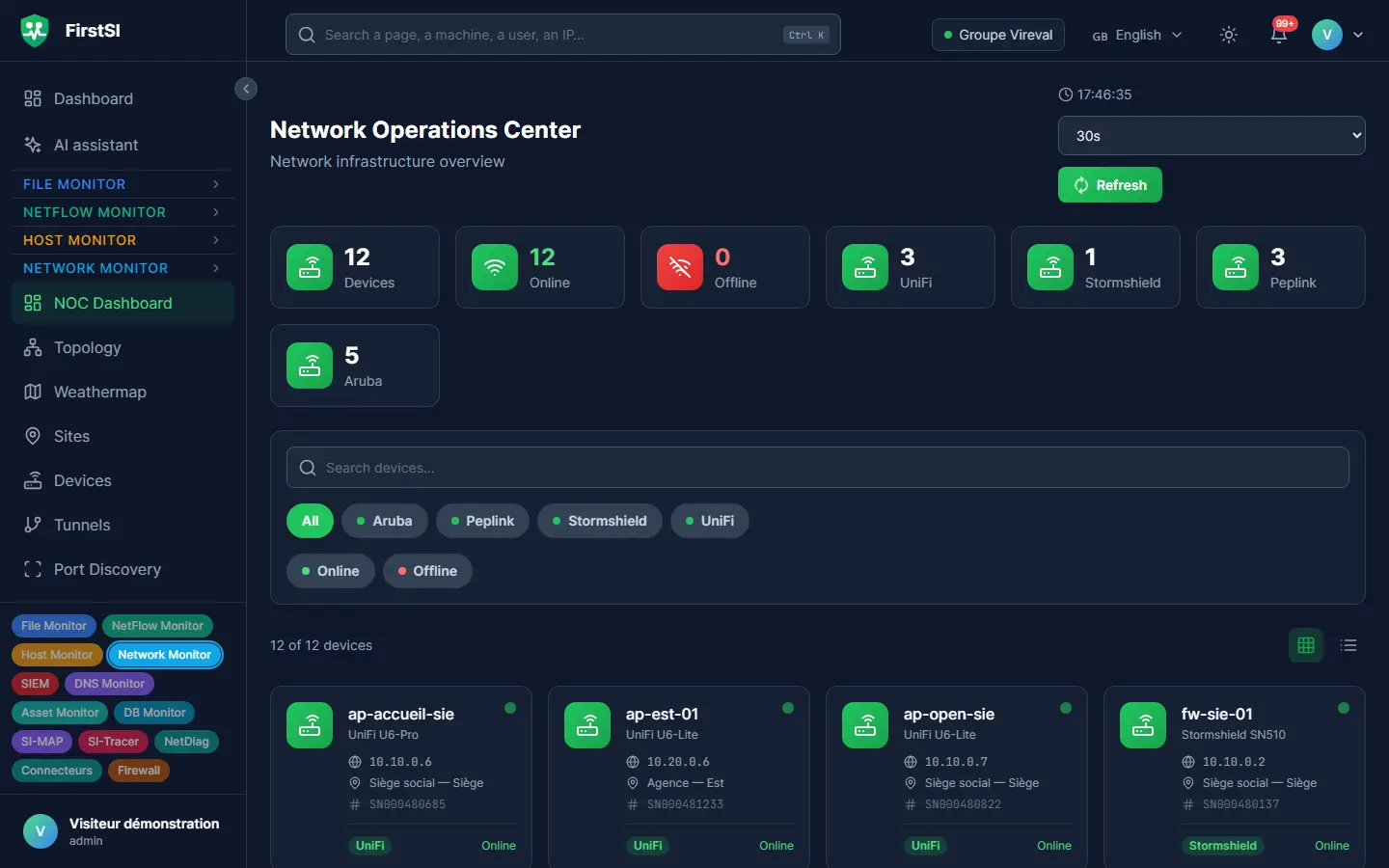
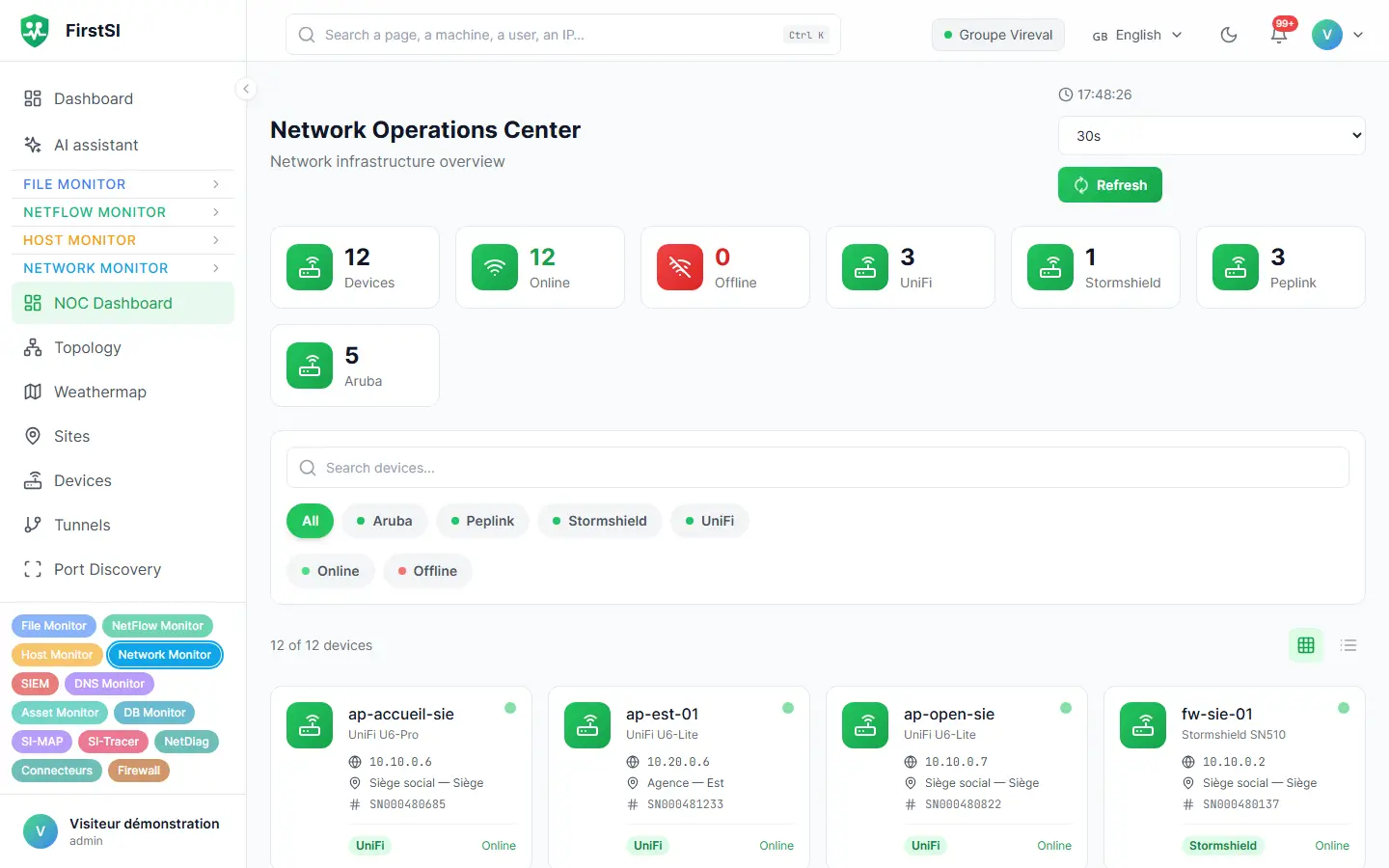
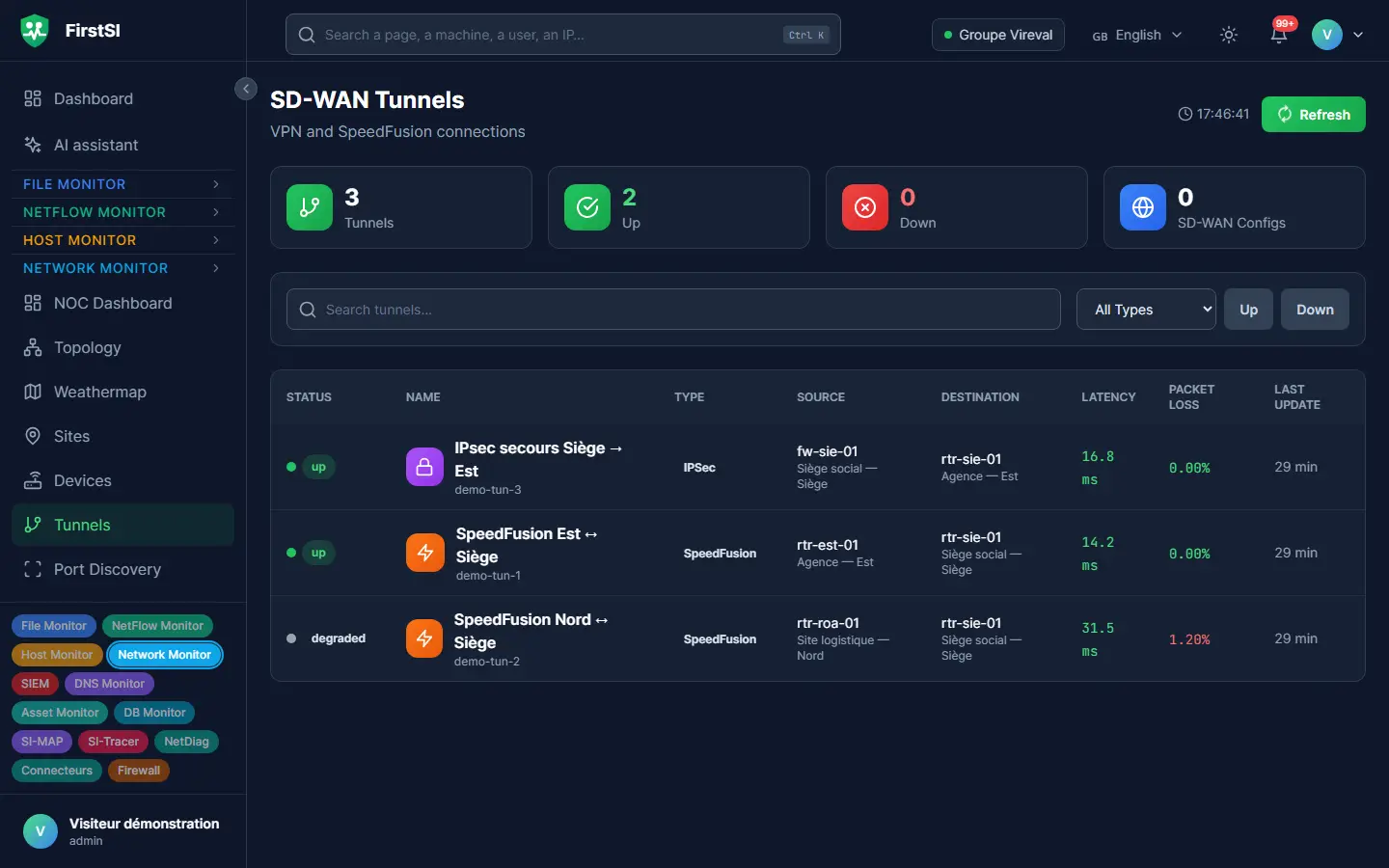
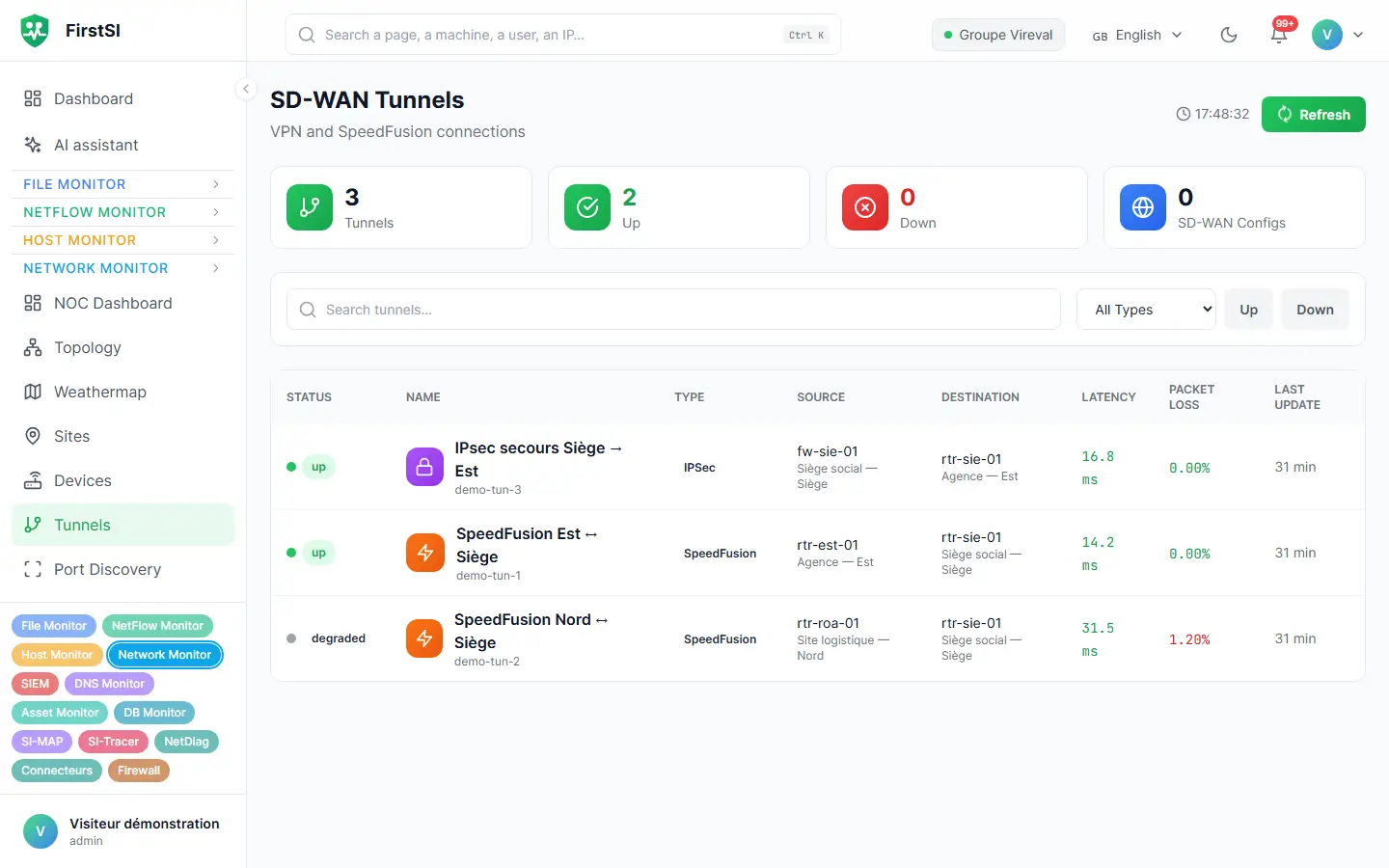
Thursday, 2:05 pm
“The Internet is crawling at the warehouse”
The warehouse manager calls: the picking terminals take ten seconds to confirm each parcel. The reflex would be to restart the router, then the switch, then send someone out to the site.
In FirstSI, the warehouse has been showing amber since 1:52 pm. The fibre is down, the router has switched to its 4G backup and traffic barely fits within the data allowance. Ticket pre-diagnostics have already put the lead in the ticket: open a fibre incident with the carrier, service continues over 4G.
You open the incident with the carrier at 2:10 pm, references in hand. Nobody has to get in the car, and the warehouse knows where it stands.
ticket “Internet very slow across the whole site” (the warehouse)
ROUTER fibre down since 1:52 pm, 4G backup active
LANDLINE active at the carrier
4G 78% of this month's allowance used
internal note lead: open a fibre incident with the carrier, let the site know.
How it works
One agent per site
Installed on a server or a computer at the site, it queries the network equipment and relays firewall logs, encrypted, with no port open to the outside.
The map takes shape
Sites, links, tunnels and access points appear with their status. Dependencies between services are inferred from the flows observed.
The right diagnosis
An alert names the site, the link and the time the trouble started. The AI assistant can cross-check it all with the tickets the site has opened.
Frequently asked questions
Which devices are compatible?
Anything that speaks SNMP v2c or v3, plus the common SD-WAN routers, firewalls and Wi-Fi controllers, through their logs, their flows or their admin interface. The simplest approach: attach your device list to your demo request, and the reply will say what is covered.
Do I need to open ports at my sites?
No. The site agent connects out to your FirstSI server, through a relay or the corporate proxy if needed. Nothing comes in.
What about a site with no Internet access?
It stays covered. Its agents go out through a single point, a relay on the site or your corporate proxy, and nothing can be read along the way.
Can I track Teams call quality at a site?
Yes, with NetDiag installed on the computers concerned. It measures every 15 seconds and pinpoints the weak link.
How many sites can I monitor?
The product sets no limit. The online demo brings together a head office, branches, a warehouse and a disaster recovery site.
More questions about installation, hosting, GDPR or integrations? All frequently asked questions
Take it further
The same data serves more than one purpose. These pages show it from other angles.
Workstation experience
Wi-Fi, Teams and apps, seen from the computer.
Learn more IT monitoringUnified IT monitoring
Twelve modules, one console, a single agent.
Learn more SIEMSIEM and incident detection
Correlated incidents, with their timeline.
Learn moreIn the documentation
Know which site is struggling before it calls you
The guided demo shows you the site map, the flow explorer and the pre-diagnostics of a network ticket.