SIEM
SIEM and incident detection sized for an SME
A traditional SIEM feeds on raw logs and needs weeks of tuning before it says anything useful. In an SME, the person who ought to read its alerts is often the one answering the phone as well. The FirstSI SIEM starts from data the other modules have already sorted, and presents complete incidents: what happened, on which machine, with which account, and in what order.
Open-access demo, no sign-up: 138 fictional machines and all twelve modules.
EXFILTRATION? 1,240 files read on the HR share, then 2.3 GB sent to a hosting provider
CAMPAIGN 46 accounts tried on the VPN from the same address range
DNS a computer is querying a domain known for phishing
CLOSED account locked this morning: a phone with the old password
Why it stays readable
Rules that cut across modules
Mass access to files followed by an outbound flow abroad, an account locked just after attempts on the VPN: the rules connect what the files, flows, firewall, DNS and directory each see.
One incident, one story
Each incident groups its events in order, with the machine, the account and the address. You read a ten-line timeline, and the thousands of original events are one click away.
Grouped attacks
Password spraying from a single address range or hosting provider becomes one incident. Each locked account opens its own, naming the real origin of the lockout.
Early warning signs
Malicious domains, DNS tunnels, suspicious-looking names: a compromise often shows up first in DNS queries, sometimes hours before anything else.
You set the noise level
Maintenance windows, per-rule thresholds, exceptions approved once and for all. You decide what is worth waking you up for, and FirstSI sticks to it.
Alerted wherever you are
Console, email or webhook to your ticketing tool or team chat. The AI assistant can pick up the incident and write the report.
In the console
Screens from the live demo, with the data of a fictional company.
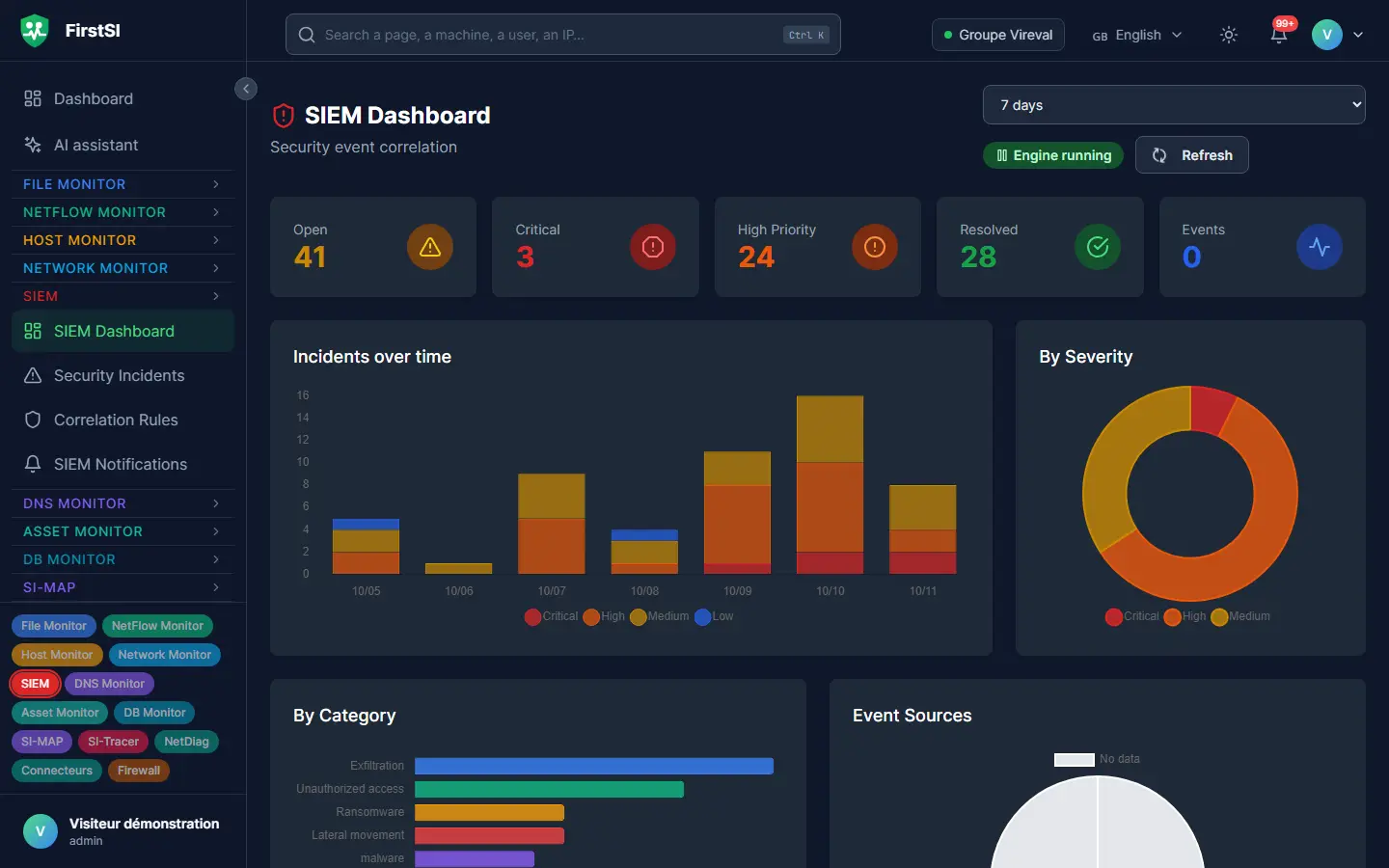
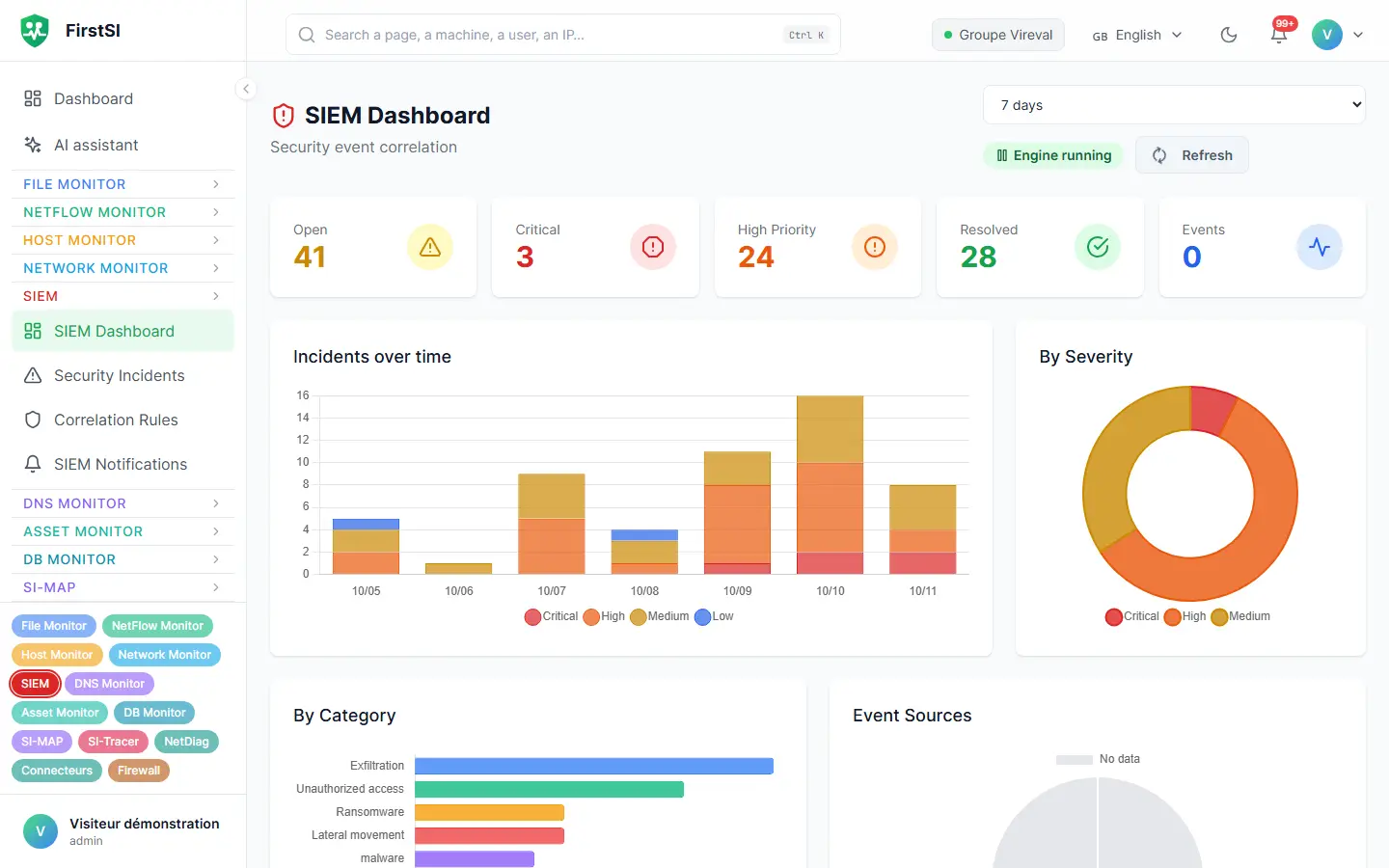
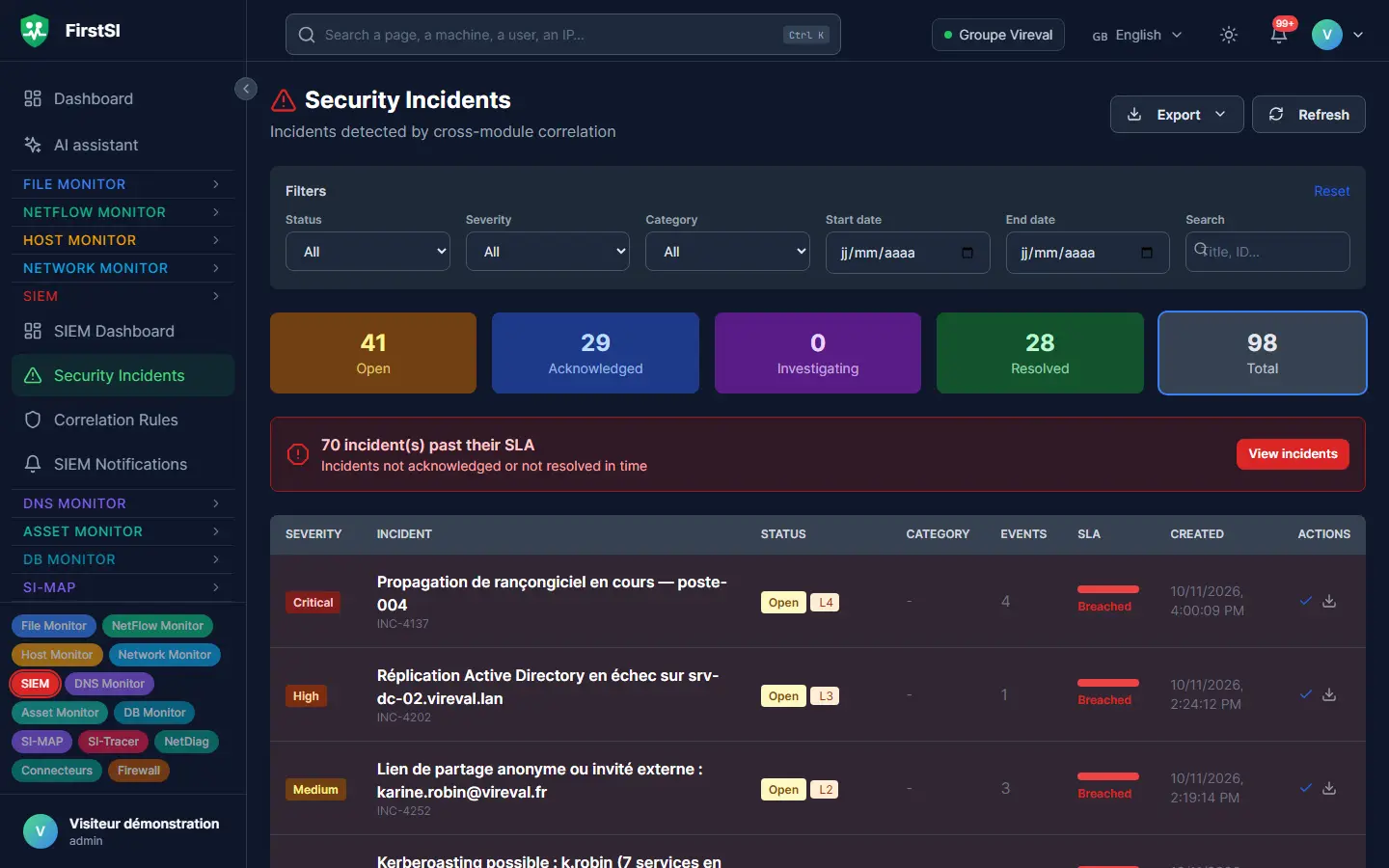
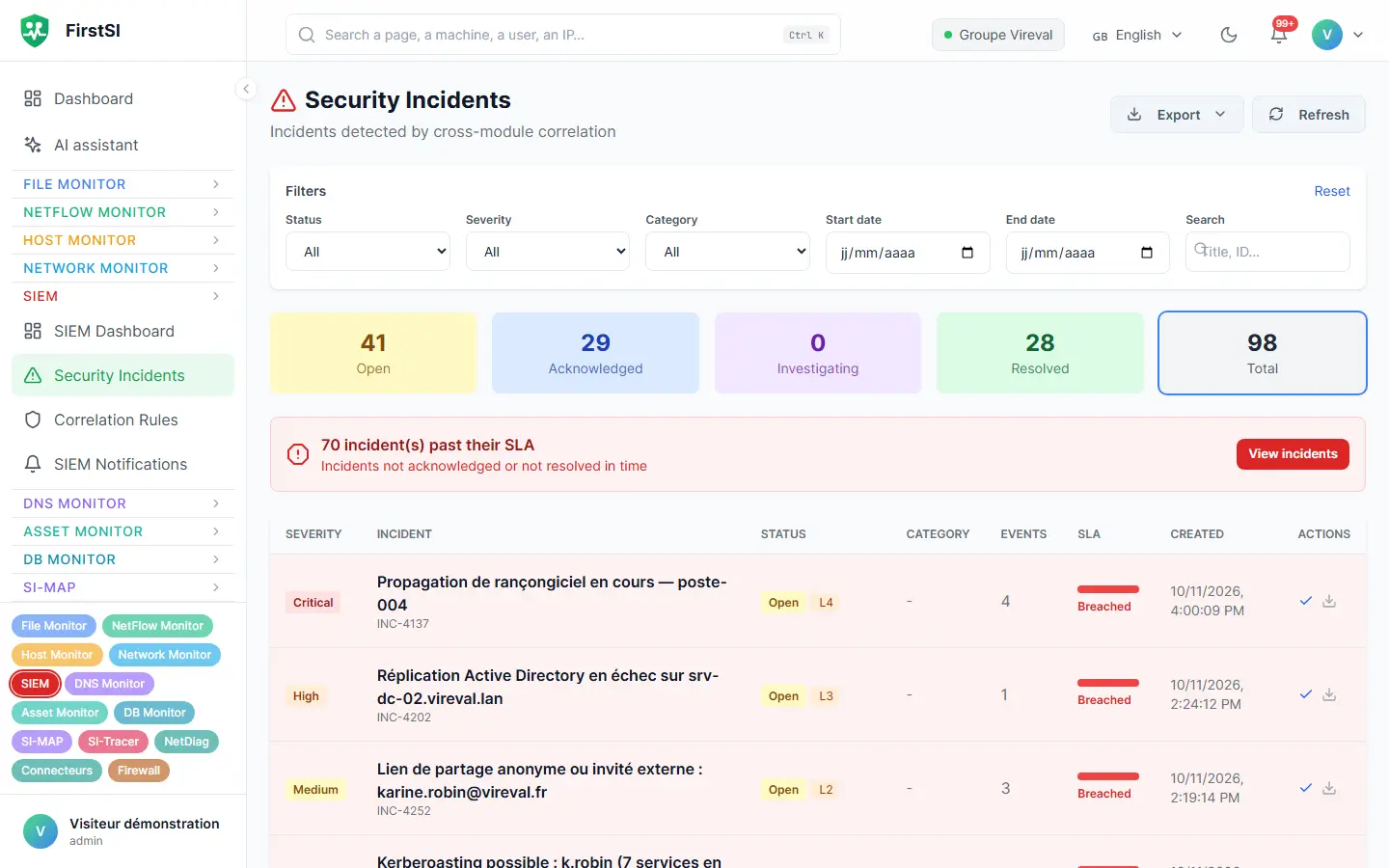
Tuesday, 6:12 pm
One last busy evening before the holidays
An employee is going on leave the next day. At 6:12 pm, his account reads 1,240 files on the HR share in six minutes, a folder he never normally opens. At 6:20 pm, his computer sends 2.3 GB to an online storage service.
Taken one at a time, these events say very little: people read files all day long and send attachments. Put together, they match exactly what the exfiltration rule is looking for. The alert arrives at 6:21 pm, with the list of files, the volume sent and the destination.
The next day, the IT team has everything it needs to raise the matter with HR, audit trail included, without having to piece anything back together.
18:12 FILES reading begins on the HR share
18:18 FILES 1,240 files read in six minutes, unusual for this account
18:20 FLOWS 2.3 GB outbound to an online storage service
18:21 INCIDENT probable exfiltration, alert sent
How it works
The modules collect
Each module sorts its own events: files, flows, DNS, firewall, authentications. The SIEM starts from data that is already clean.
The rules join the dots
Ready-made cross-module rules that you can adjust. An event that arrives late from a site that was cut off still gets matched.
You handle an incident
An incident with its timeline, its evidence and its status. You assign it, comment on it and close it, and everything stays on record.
Frequently asked questions
Do I need a security team to use this SIEM?
No, it was designed to work without one. The rules are supplied and incidents read like a timeline. IT teams of two or three people use it every day.
Can I send my firewall logs to it?
Yes. The site agent receives logs and flows from firewalls and gateways, then forwards them encrypted. There is no port to open to the outside.
How long are events kept?
You choose, from 1 to 365 days, with 90 by default. File and DNS events are archived before deletion.
Can I write my own rules?
Yes, from the console, with no programming. You can also adjust the thresholds of the supplied rules and declare exceptions.
Does it work with an external SOC?
Yes. Incidents go out by webhook or through the API to your provider's tool, and every access is logged.
More questions about installation, hosting, GDPR or integrations? All frequently asked questions
Take it further
The same data serves more than one purpose. These pages show it from other angles.
Active Directory security
Sensitive groups, posture, forgotten accounts.
Learn more Files and sharesFiles and shares
Who opened what, and who is allowed to.
Learn more Microsoft 365 and the InternetMicrosoft 365 and Internet exposure
Sign-ins, leaks, what an attacker sees.
Learn moreIn the documentation
Incidents you have time to read
Open the demo: correlated incidents are waiting for you there, across 138 fictional machines. Or request a guided demonstration.